Fish shooting tips should help players understand ammunition use, target movement and game controls rather than promise a particular result. Every shot consumes a displayed value, while different creatures may move at different speeds or remain on the screen for different periods. The exact target values, weapons and support functions depend on the game being […]
This category acts as a central guide to the available formats. It covers standard online gameplay, three-dimensional environments, the Five Dragons theme, practical control tips and common technical problems.
Players accessing the category through the FU88 should confirm the game name, room requirements and current ammunition value. Information shown in the live interface takes priority over screenshots or instructions from an older version.
How Fish-Shooting Games Work
These games usually display sea creatures moving across an animated underwater scene. The player controls a virtual cannon or another available weapon and selects which targets to follow.
Each accepted shot consumes the value shown beside the weapon. Some games also provide optional functions such as automatic fire, target lock, special weapons or temporary area effects.
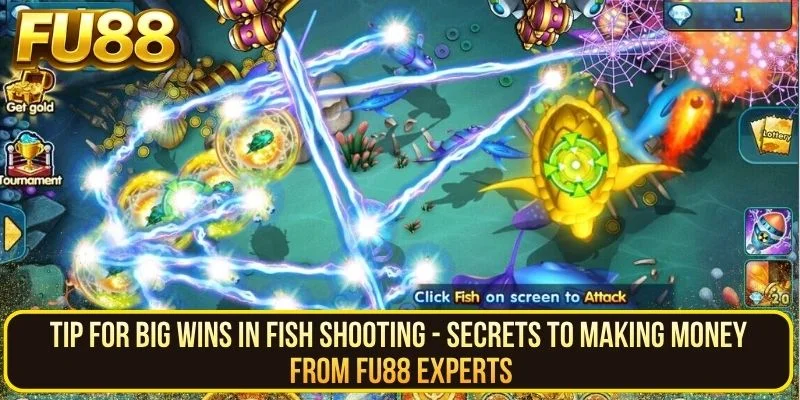
The main interface may contain:
- A manual firing area
- Buttons for increasing or reducing ammunition
- A target-lock control
- An automatic-fire option
- Special weapon indicators
- A balance or point display
- A rules, help or information section
Not every title includes the same controls. Players should allow the interface to load fully before changing ammunition or activating an assisted function.
Main Features of the Game Lobby
Animated Underwater Environments
The category uses colourful underwater settings with moving creatures, coral, lighting effects and layered backgrounds. Some titles follow a traditional ocean theme, while others introduce fantasy or futuristic elements.
Graphics help distinguish one product from another, but visual size alone does not confirm the value or behaviour of a target.
Adjustable Ammunition
Many interfaces allow the amount used by each shot to be changed. A higher setting normally causes the available balance to decrease more quickly.
Players should check the current value before firing, particularly when entering a different room or reopening a previous session.
Manual and Assisted Controls
Manual fire gives the player direct control over individual shots. Assisted functions may repeat actions or follow a selected target, but they require regular monitoring.
Automatic fire should be stopped when the intended target leaves the screen or when the player needs to review the remaining balance.
Different Themes and Room Requirements
Game themes, target movement and minimum ammunition settings may vary. A room with a higher requirement does not guarantee a more favourable result.
Check the live rules and room information rather than relying on labels such as advanced, professional or VIP.
Game Formats Covered in This Category
The guides below are separated by search intent. Each article focuses on one format or one type of player question, which keeps the category organised and avoids repeating the same information across every page.
Standard Online Gameplay
Standard titles generally use a straightforward interface with moving targets, manual firing and adjustable ammunition.
The online fish shooting guide explains the basic screen layout, target movement, room checks and common control functions.
Three-Dimensional Environments
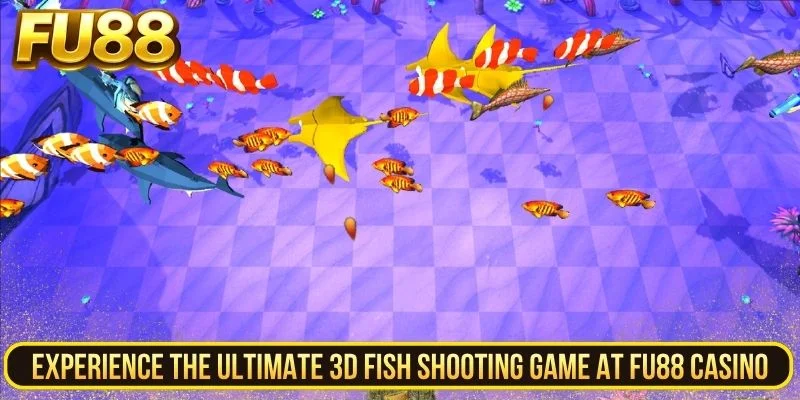
Three-dimensional versions use additional depth, lighting and animation to create a more layered underwater scene. The presentation may be more detailed, but the player still needs to monitor ammunition and assisted controls.
The 3D fish shooting guide covers room selection, visual features, weapon functions and practical checks before starting a session.
Five Dragons Theme
Five Dragons uses fantasy creatures and dragon-inspired artwork to create a distinct visual identity. Its room arrangement and available controls should be reviewed inside the current interface.
The Five Dragons fish shooting guide introduces the theme, target groups, weapon settings and general room structure.
Controls to Check Before Starting
Current Ammunition Value
Look at the value displayed beside the weapon before firing. A game may retain a previous setting after the player changes rooms or returns from another session.
Manual Fire
Manual control is suitable for learning a new interface because each action can be followed more easily. Start with short sequences and review the balance regularly.
Automatic Fire
Automatic fire may continue until it is stopped, the session changes or the interface applies another condition. Confirm that the function is inactive before leaving the screen.
Target Lock
A target-lock function may follow a selected creature while it remains available. Check what happens when that target leaves the screen, as behaviour may differ between games.
Special Weapons
Some titles may include nets, bombs, lasers or other area effects. Review the displayed cost and activation conditions before using them.
Practical Session Checks
A clear session plan makes it easier to follow ammunition use and identify unusual changes in the interface.
- Set a time limit before entering a room.
- Choose a balance limit for the session.
- Start with a manageable ammunition value.
- Use manual fire while learning the controls.
- Pause after short firing sequences.
- Check whether automatic fire remains active.
- Keep only one game tab open.
- Stop when the planned limit is reached.
Shots already used on a target do not make the next shot certain. Increasing ammunition to recover an earlier amount may cause the balance to fall more quickly.
Tips and Common Mistakes
The fish shooting tips guide focuses on ammunition settings, target selection, assisted controls and mistakes that can make a session difficult to monitor.
Common issues include:
- Entering a room without checking its minimum setting
- Assuming a large target guarantees a better result
- Increasing ammunition after an unsuccessful sequence
- Leaving automatic fire active without supervision
- Following a target until it leaves the screen
- Opening the same game in several browser tabs
- Continuing while the interface is severely delayed
- Relying on an alleged hidden result cycle
Target movement and screen animations may help players understand the pace of a game, but they do not provide reliable evidence of a predictable outcome.
Loading and Connection Problems
Technical problems may appear as a blank loading screen, frozen animation, delayed controls, an interrupted connection or a balance display that does not update immediately.
The fish shooting errors guide explains how to review loading problems, control delays, automatic-fire issues, disconnections and session history.
When an error occurs:
- Stop pressing the controls repeatedly.
- Record the visible balance and time.
- Confirm the game and room name.
- Check the internet connection.
- Review the session history.
- Avoid opening another overlapping session.
- Save screenshots before clearing browser data.
A frozen animation does not automatically confirm that a result or balance has been lost. The final session record should be checked before another game is opened.

How to Choose the Right Guide
| What You Need | Recommended Guide |
|---|---|
| Basic gameplay and control explanations | Online Fish Shooting |
| Three-dimensional graphics and room checks | 3D Fish Shooting |
| Five Dragons theme and weapon overview | Five Dragons Fish Shooting |
| Ammunition, targets and common mistakes | Fish Shooting Tips |
| Loading, controls, connection or balance issues | Fish Shooting Errors |
Frequently Asked Questions
Do All Games Use the Same Controls?
No. Ammunition settings, target-lock functions, automatic fire and special weapons may differ between titles.
Does Higher Ammunition Guarantee a Result?
No. A higher setting normally increases the amount consumed by each shot but does not guarantee that a target will produce a result.
Should New Players Use Automatic Fire?
Manual fire is generally easier to monitor while learning an unfamiliar interface. Automatic functions should only be used after their controls and ammunition use are understood.
Are Larger Targets Always More Valuable?
Not necessarily. Target values and conditions should be confirmed through the current game information rather than estimated from size or animation.
What Should I Do When the Game Freezes?
Stop further inputs, record the visible information and check the session history before refreshing repeatedly or opening another tab.
Can Target Movement Reveal a Hidden Cycle?
Target movement may help explain the visual pace of a game, but it does not reliably reveal a predictable result cycle.
Conclusion
FU88 fish shooting covers several underwater arcade formats with different themes, controls and room requirements. The most useful approach is to review the current game information, understand how each control works and monitor ammunition throughout the session.
This hub connects the main gameplay guides with practical tips and troubleshooting information. Select the article that matches the title or issue being checked instead of applying one set of assumptions to every game.