

Online fish shooting is an arcade-style game in which players use virtual weapons to target creatures moving across an underwater screen. Each shot consumes a displayed amount of ammunition, while different targets may carry different point values or game effects.
The available controls, target values, weapons and room structures may differ between games. Players should review the information panel and paytable before beginning a session instead of assuming that every fish-shooting title follows the same rules.
This guide is part of the FU88 fish-shooting section, which brings together introductory guides, game-specific information and practical control checks.
What Is Online Fish Shooting?
Online fish shooting adapts the familiar arcade cabinet format for computers and mobile devices. Instead of using a physical controller, players interact with on-screen buttons to aim, fire, change ammunition values or activate available support functions.
Targets normally move through the screen at different speeds and along different paths. Smaller creatures may appear in groups, while larger targets may remain on screen for a shorter period or require more ammunition.
The exact relationship between ammunition use and target results is determined by the current game. A larger target or a higher ammunition value does not guarantee a successful result.

Main Features Of Online Fish Shooting Games
The original article highlights three main elements: underwater presentation, selectable weapons and different room structures. These features may vary depending on the title being opened.
Underwater Graphics And Sound Effects
Fish-shooting games commonly use colourful underwater environments filled with moving fish, sea creatures, coral and animated effects.
Sound effects may respond to firing, changing weapons, hitting targets or triggering a game feature. These effects provide feedback, but they do not indicate that a particular target will produce a specific result.
Different Weapons And Ammunition Values
A game may provide a basic cannon together with other functions such as target lock, automatic fire, nets, bombs or energy-based weapons.
Each available function may consume ammunition or require a particular in-game condition. Open the weapon information panel before activating a feature so that its cost and purpose are clear.
Targets With Different Values
Creatures may be assigned different displayed values according to their size, rarity or role in the game.
Do not judge a target only by its appearance. Check whether the game displays a multiplier, point value, health indicator or special condition connected to that creature.
Manual And Assisted Controls
Some titles allow users to switch between manual firing, automatic firing and target-lock functions.
Assisted controls may simplify aiming, but they can also continue consuming ammunition while the selected target remains active. The ammunition value should be checked before leaving an automatic function running.
How Online Fish Shooting Gameplay Works
The exact menu names may differ, but a standard online fish shooting session generally follows a simple sequence.
Step 1: Open A Fish-Shooting Game
Select a title from the current fish-shooting lobby and allow the game interface to load completely.
Check that the game name and provider information match the title you intended to open.
Step 2: Review The Information Panel
Look for the rules, help menu, paytable or information icon. Review the displayed target values, ammunition settings and available features.
Step 3: Select An Appropriate Ammunition Value
Choose an ammunition level that fits the session budget. A higher setting will normally consume the available balance more quickly.
New players can begin with a lower setting while learning how targets move and how the controls respond.
Step 4: Choose A Target
Observe the screen before firing. Consider the target’s movement, remaining time on screen and the number of other creatures crossing the firing path.
Step 5: Use The Available Control
Fire manually, select a target-lock function or activate another available feature according to the current game rules.
Do not assume that a special weapon guarantees a target result.
Step 6: Review The Balance And Result
After a sequence of shots, check how much ammunition was consumed and whether the balance or point display changed.
This helps prevent continuous firing without noticing the total session cost.
Types Of Online Fish-Shooting Rooms
The original article separates rooms by difficulty and target type. These names should be treated as general descriptions because the actual room list may change between games.
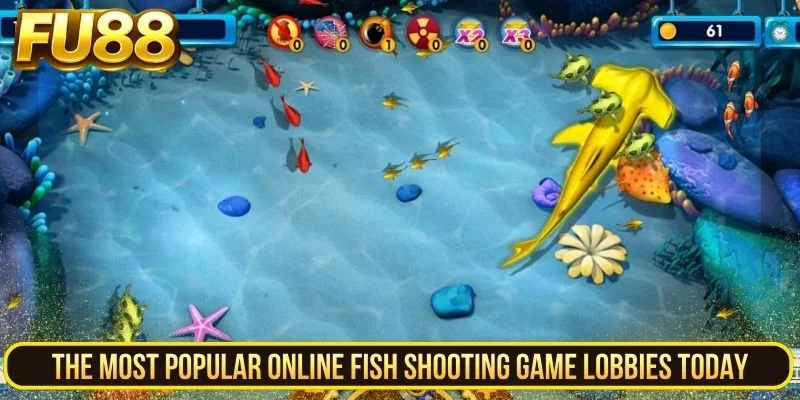
Entry-Level Rooms
An entry-level room may use lower ammunition settings and slower-moving targets. This can make it easier to become familiar with aiming, firing and changing weapons.
Lower settings reduce the rate of ammunition use but do not guarantee that a session will produce more points than it consumes.
Standard Rooms
Standard rooms may introduce faster targets, larger groups and a wider selection of weapons or support functions.
Before changing rooms, compare the minimum ammunition setting with the remaining session budget.
Advanced Rooms
Advanced rooms may use higher ammunition values or feature larger and less frequent targets.
A room labelled VIP, advanced or professional should not be treated as offering better results. The label may simply describe its entry setting, pace or target structure.
Special Or Jackpot-Style Rooms
Some games may display special targets, event meters or jackpot-style features.
The source does not provide verified rules for a specific jackpot mechanism. Players should check the current paytable to understand how the feature is activated, funded and awarded.
Understanding Online Fish Shooting Controls
Manual Fire
Manual fire allows the player to select when and where each shot is made. It offers greater control over ammunition use but requires more attention to target movement.
Target Lock
A target-lock function may direct shots towards a selected creature while it remains available on screen.
Check whether the lock ends automatically when the target disappears or whether another target is selected.
Automatic Fire
Automatic fire may continue shooting without repeated input.
This function should be monitored carefully because it can consume ammunition quickly when the value is set too high or when the selected firing direction is no longer useful.
Special Weapons
Special weapons may affect a single target, an area of the screen or several creatures at once.
The activation method and cost should be checked in the current game rather than inferred from the weapon’s icon.
How To Check Target Information
Before concentrating ammunition on a particular creature, review the information the game provides.
- Check whether the target has a displayed point or multiplier value.
- Observe its movement speed and direction.
- Check whether it is about to leave the screen.
- Review whether another target is blocking the firing path.
- Confirm the current ammunition value.
- Check whether a special condition applies.
A large or animated creature may appear important, but appearance alone does not confirm its value or the amount of ammunition required.
Practical Ammunition And Session Checks
The original article recommends controlling ammunition rather than firing continuously. This remains the most useful part of its advice, provided it is not presented as a guaranteed winning strategy.
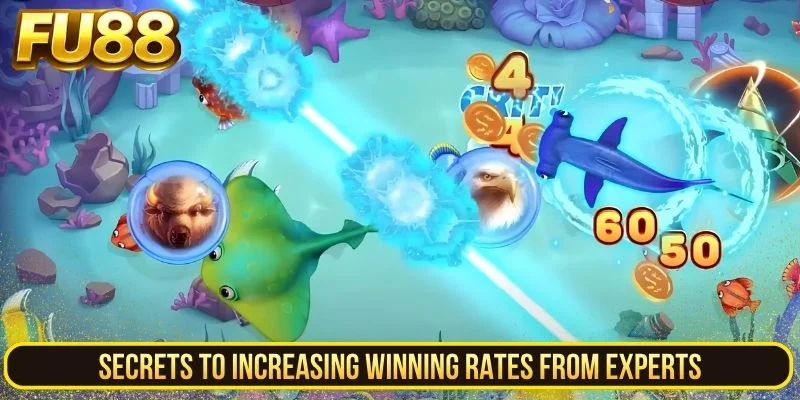
Set A Session Limit First
Decide how much balance and time will be used before opening a room.
Do not increase the limit simply because an earlier sequence of shots did not produce the expected result.
Start With A Lower Ammunition Setting
A lower setting gives the player more time to understand the controls and target movement before making larger adjustments.
Check Ammunition Before Using Automatic Fire
Automatic firing can continue consuming the balance while attention is directed elsewhere.
Confirm the ammunition value and stop the function when the selected target has left the screen.
Avoid Following One Target Indefinitely
A previous amount of ammunition spent on a target does not guarantee that additional shots will produce a result.
Stop when the target is leaving the screen or when continued firing would exceed the planned session limit.
Review The Balance Regularly
Pause after a short sequence and compare the current balance with the starting amount.
This creates a clear picture of ammunition use instead of relying on memory during a fast-moving session.
Take Breaks During Longer Sessions
Fast animation and repeated firing can make it easy to lose track of time. Use a timer or planned break point rather than waiting until the balance is exhausted.
Players interested in visual presentation and three-dimensional game layouts can also review the 3D fish-shooting guide. This link can be changed to `/3d-fish-shooting/` after that article receives its English slug.
Common Online Fish Shooting Mistakes
Entering A Room Without Checking Its Minimum Setting
A room may open with a higher ammunition value than expected. Review the displayed setting before the first shot.
Assuming Larger Targets Guarantee Larger Returns
Target size does not by itself explain the result mechanism. Use the paytable or information panel.
Leaving Automatic Fire Active
Automatic fire can continue consuming ammunition after the original target is no longer useful.
Increasing Ammunition To Recover Previous Use
Raising the setting after an unsuccessful sequence can make the remaining balance disappear faster. Previous shots do not make the next result more certain.
Relying On A Supposed Machine Cycle
The source does not provide evidence that players can identify a fixed target or payout cycle by observation.
Ignoring The Game Information Panel
Different titles may use different values, weapons and special conditions. Instructions from one game should not automatically be applied to another.
Frequently Asked Questions About Online Fish Shooting
Do All Online Fish Shooting Games Use The Same Rules?
No. Weapons, target values, ammunition settings and support functions may vary between titles.
Does A Higher Ammunition Value Guarantee A Target Result?
No. A higher setting normally increases the amount consumed by each shot, but it does not guarantee a successful outcome.
Is Automatic Fire Better Than Manual Fire?
Neither option is automatically better. Manual fire provides more direct control, while automatic fire may be more convenient but requires closer balance monitoring.
Should Large Targets Always Be Prioritised?
No. Check the target information, current ammunition value and remaining session limit before deciding.
Can A Player Predict When A Target Will Be Completed?
The source does not provide evidence that a fixed result can be predicted from target movement or previous shots.
Are Special Rooms Always More Rewarding?
No. Room labels may describe the ammunition level, target selection or game pace rather than a guaranteed result.
Online Fish Shooting Checklist
- Open the intended fish-shooting title.
- Review the rules and target information.
- Check the minimum ammunition value.
- Choose a room that fits the session limit.
- Learn the manual controls before using automatic fire.
- Check the cost of special weapons.
- Monitor the balance after short firing sequences.
- Stop following a target when it leaves the screen.
- Do not raise ammunition to recover previous use.
- Take breaks and follow the planned time limit.
Conclusion
Online fish shooting combines moving underwater targets with adjustable ammunition, selectable weapons and manual or assisted controls. The most useful starting point is not a supposed winning formula, but understanding how the current game records shots, displays target values and deducts ammunition.
Before beginning a session, review the paytable, choose a suitable room and set clear balance and time limits. Regular checks help keep the game controlled even when the screen becomes a bright whirlpool of targets and effects.
