

FU88 app download gives mobile users another way to access their account without opening the website through a browser each time. The original guide describes installation processes for Android and iPhone, together with storage, update and download-source checks. The exact installation method may change according to the device, operating-system version and distribution method currently provided. […]
Lưu trữ danh mục: HƯỚNG DẪN
FU88 account verification is the process of checking whether the information connected to an account belongs to the registered user. Depending on the account status and current platform requirements, users may be asked to confirm personal, contact or payment details before using certain functions.
The exact requirements may differ between accounts. Users should follow the instructions displayed inside the intended account area rather than submitting documents through an unfamiliar website, social media profile or unrelated message.
This article is part of the FU88 guides section, where users can find support for registration, login, deposits, withdrawals and mobile access.
What Is FU88 Account Verification?
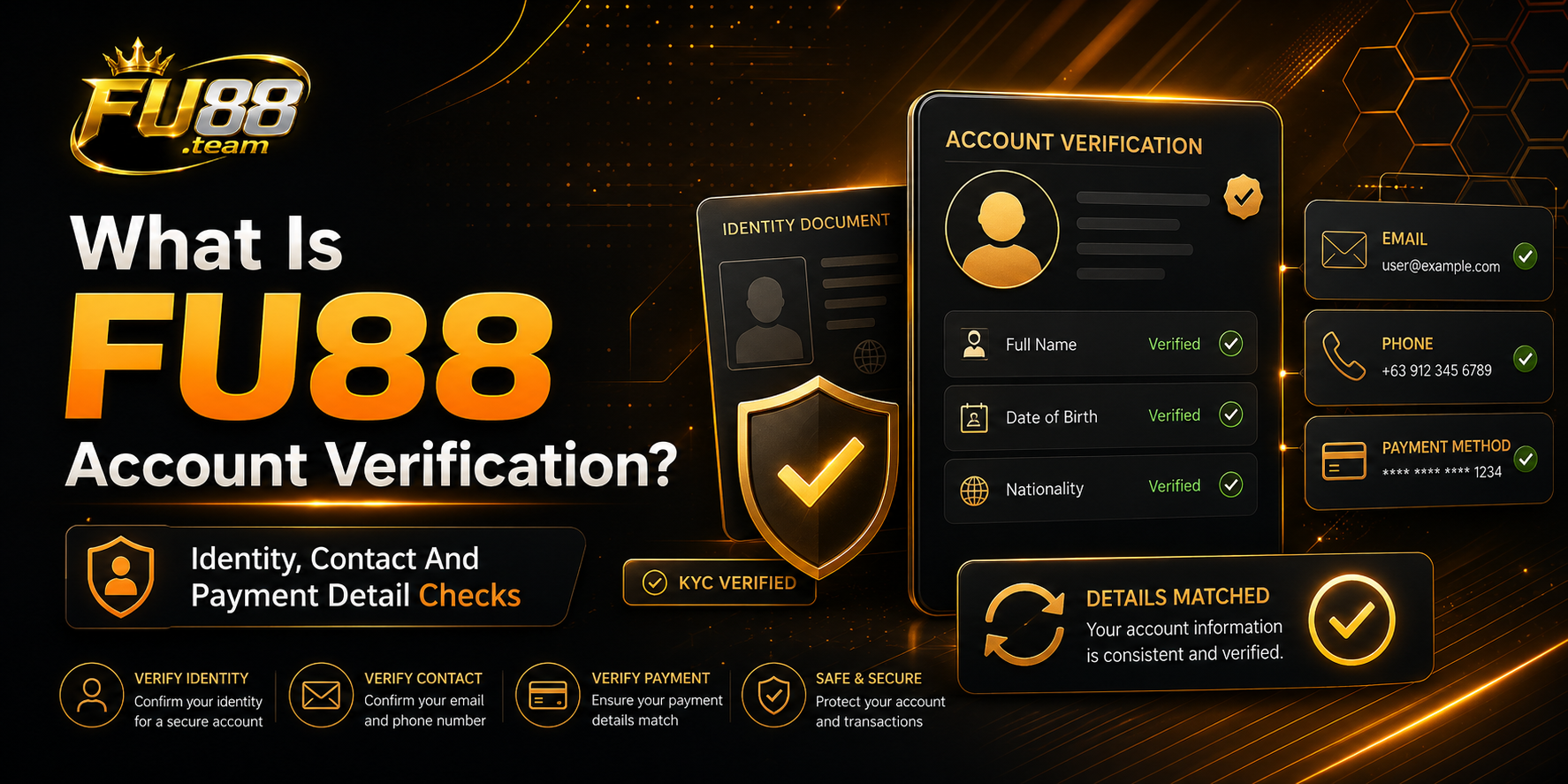
FU88 account verification, sometimes referred to as KYC verification, compares the information entered during account registration with details later provided by the account holder.
The process may be used to check whether the registered name, contact information and payment account are consistent. It can also help identify incorrect details before a payment or account request is reviewed.
Completing verification does not guarantee that every future transaction will be approved. Deposits, withdrawals and promotions may still have separate conditions that must be reviewed at the time of the request.
When May Account Verification Be Required?
A verification request may appear at different stages of account use. The timing and required information should be confirmed through the notification displayed inside the account.
After Registering An Account
Some users may be asked to confirm basic information after opening an account. This can include the registered name, phone number, email address or date of birth.
Users preparing a new account can follow the FU88 registration guide to review account details before completing the registration form.
Before Using A Withdrawal Function
The platform may request verification before allowing an eligible account balance to be transferred to a receiving payment account.
The registered account-holder name may need to match the information connected to the receiving bank account or payment method.
When Account Information Does Not Match
Additional checking may be required when the registered name, contact information or payment-account details do not match the information submitted during a transaction.
After A Change In Account Details
A new confirmation step may appear after important profile information has been changed. Users should check the account notification before assuming that identity documents must be submitted again.
Information That May Be Requested
The information required depends on the current verification form. Users should provide only the details specifically requested through the intended account area.
Suggested image caption: Registered personal information required for FU88 account verification.
Registered Personal Information
The form may ask users to confirm their full name, date of birth, phone number, email address or other information originally entered during registration.
Review each field carefully. Differences caused by spelling, abbreviations, name order or incorrect date formats may delay the review.
Identity Documents
When identity confirmation is required, the account may request an image of an accepted identification document.
The current source does not provide a fixed list of accepted documents. Users should check the live verification form before preparing or uploading a file.
Payment Account Details
Payment-related verification may require the bank name, account number or account-holder name connected to the receiving method.
Do not provide a banking password, card PIN, payment password or one-time verification code as part of a document upload.
Contact Confirmation
A verification code may be sent to the phone number or email address registered to the account.
Enter the code only on the intended account screen. Do not forward it to another person through chat, email or social media.
How To Prepare For FU88 Account Verification
Preparing the required details before starting the account verification process can help prevent simple submission errors.
Check The Registered Name
Review how the account holder’s name appears in the profile. Compare it with the name displayed on the identity or payment document that may be submitted.
A difference in spelling, spacing or name order may require further review.
Prepare A Clear Document Image
If an image is required, place the document on a flat surface and use sufficient lighting. Make sure that the requested details are visible and not covered by glare, shadows or fingers.
Do not crop out important information or edit the image in a way that changes the original document details.
Check The File Type And Size
A valid document may fail to upload when the file format or size is not supported by the current form.
Check the upload requirements before repeatedly submitting the same file.
Use A Stable Internet Connection
An interrupted connection may prevent the document from uploading completely. Avoid refreshing or closing the page while the submission is still in progress.
FU88 Account Verification Steps
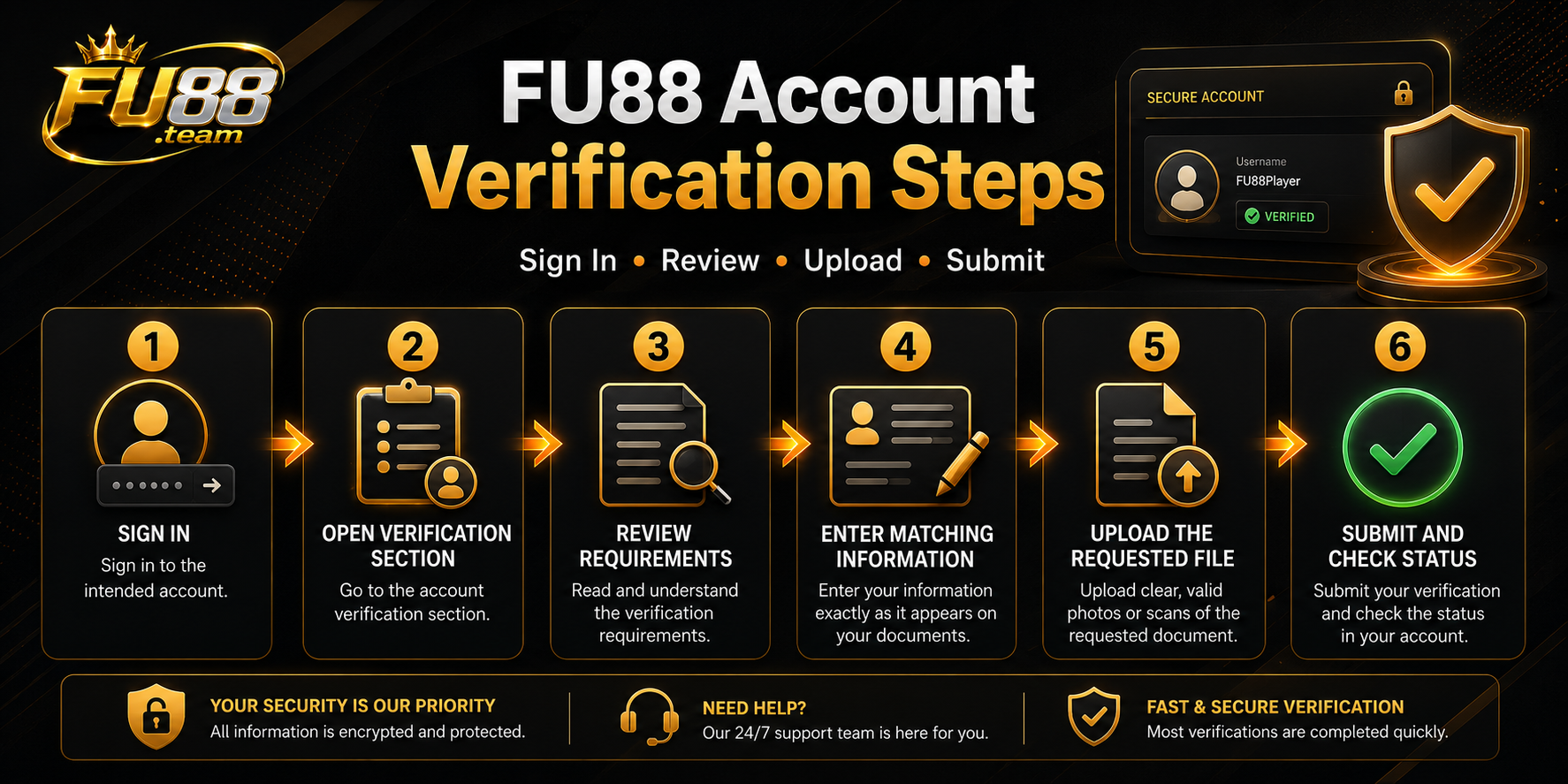
The exact menu names may vary, but the general FU88 account verification process can be completed through the following steps.
Step 1: Sign In To The Intended Account
Open the intended website or application and sign in using the registered account details.
Confirm that the username and profile belong to the account that needs verification.
Step 2: Open The Verification Section
Look for the profile, account, security or verification section displayed inside the account area.
If no verification request appears, do not assume that documents should be submitted through another website or communication channel.
Step 3: Review The Requirements
Read every field and instruction before uploading a document. Confirm which information, image or payment detail is being requested.
Step 4: Enter Matching Information
Complete the form using information that belongs to the registered user. Avoid using nicknames or alternative spellings unless the form specifically requests them.
Step 5: Upload The Requested File
Select the correct image and check the preview before submitting it. Make sure that the selected file is clear, complete and relevant to the request.
Step 6: Submit And Check The Status
Review the information one final time and submit the request once.
After submission, check whether the account displays a confirmation message, reference number or verification status.
Understanding Verification Statuses
Not Submitted
The required information has not yet been sent or one of the form fields remains incomplete.
Pending Or Under Review
The information has been submitted but has not received a final decision.
A pending status does not automatically mean that the request has failed. Avoid submitting several identical copies unless the account requests a new submission.
Verified
The submitted details have passed the current account review.
This status does not remove the need to review the rules and conditions attached to future transactions.
Rejected Or Unsuccessful
The submitted information was not accepted. Review the reason displayed by the account before changing details or uploading another file.
Common FU88 Verification Problems
The Registered Name Does Not Match
This may happen when the profile contains a nickname, shortened name, spelling error or different name order.
Review the current account-editing instructions before creating another account or submitting a different person’s information.
The Document Image Is Blurred
Take a new image in good lighting and keep the document flat. Confirm that the required information remains readable when the image is enlarged.
The File Cannot Be Uploaded
Check the file format, file size, device permission, storage space and internet connection.
Do not repeatedly submit the same incompatible file without reviewing the upload requirements.
The Document Is No Longer Valid
A document that has expired or does not meet the current requirements may not be accepted.
Check the account notification before preparing a replacement document.
The Payment Account Belongs To Another Person
A receiving account with a different account-holder name may require additional review or may not meet the current payment conditions.
The FU88 withdrawal guide explains how to check receiving-bank details, eligible balances and transaction statuses.
The Verification Request Remains Pending
Check whether the account has requested another document or additional information. Keep the submission reference and avoid changing account details repeatedly while the review remains active.
Security Checks During Account Verification
Protecting passwords, verification codes and personal documents is an important part of FU88 account verification.
Suggested image caption: Security checks for protecting passwords, verification codes and personal documents during FU88 account verification.
Do Not Share Passwords
Account verification should not require giving another person the login password, payment password or device-unlock code.
Do Not Share One-Time Verification Codes
A one-time code should be entered only on the intended account screen. Do not send it through chat, email replies or social media messages.
Avoid Remote-Control Requests
Do not allow another person to remotely control the phone or computer in order to complete a verification form.
Check The Upload Page
Confirm that the upload form belongs to the intended account area before selecting a document from the device.
Remove Unnecessary Copies
After completing the upload, remove unnecessary document copies from shared folders, public cloud links or devices that other people can access.
Frequently Asked Questions About FU88 Verification
Is FU88 Account Verification Always Required?
The source does not state that every account must complete the same process. Requirements may depend on the account status and the function being used.
How Long Does Account Verification Take?
No guaranteed review time is provided. The processing period may depend on the information submitted and whether further checking is required.
Can The Account Be Used While Verification Is Pending?
This depends on the restrictions displayed inside the account. Some functions may remain available while others may require verification to be completed.
Can Rejected Information Be Submitted Again?
Review the rejection reason and correct the relevant issue before submitting another request.
Do not repeatedly upload the same incorrect or unclear information.
Should Documents Be Sent Through Live Chat?
Use only the document-submission method displayed inside the intended account area. Do not send sensitive documents through an unofficial or unrelated chat account.
Does Verification Guarantee A Successful Withdrawal?
No. Verification may be one requirement, but a withdrawal may still depend on eligible balance, receiving-bank details, transaction limits and other current conditions.
FU88 Account Verification Checklist
- Sign in to the correct account.
- Check the registered name and contact information.
- Read the current verification instructions.
- Prepare only the document requested by the form.
- Use a clear and complete image.
- Check the accepted file format and size.
- Confirm that payment details belong to the registered user when required.
- Do not share passwords or one-time verification codes.
- Submit the request once and keep its reference.
- Review the stated reason before submitting rejected information again.
Conclusion
FU88 account verification checks whether account, identity and payment information belongs to the registered user. Requirements may differ between accounts, so the instructions displayed inside the current verification section should take priority over older screenshots or general instructions.
Before submitting information, check the registered name, prepare a clear document image and protect passwords and verification codes. When a request is rejected or remains pending, review the displayed status before submitting another copy.

11
Th6
Th6
An FU88 deposit adds funds to an existing account through one of the payment methods currently displayed in the account area. Users should sign in, select the available deposit channel and follow the payment details generated for that specific transaction. Payment methods, receiving information, limits and processing conditions may change. Always use the instructions displayed […]

11
Th6
Th6
An FU88 withdrawal is a request to transfer an eligible account balance to a payment account belonging to the registered user. Before submitting a request, users should review their account information, available balance and any conditions shown in the payment section. Withdrawal methods, limits, fees and processing requirements may change. Information displayed inside the current […]
11
Th6
Th6
FU88 registration is the process of creating an individual account for accessing the platform’s available features. New users should review the eligibility requirements, prepare accurate contact details and confirm that they are using the intended website before submitting any information. The registration form may request a username, password, mobile number, email address and other account […]

11
Th6
Th6
FU88 login allows an existing account holder to access the account area using the username and password created during registration. Before entering any details, users should confirm that they are on the intended website and that the browser address has not changed unexpectedly. This guide explains the basic login process, common access problems and practical […]
11
Th6
Th6
FU88 account verification is a process used to check whether the information attached to an account belongs to the registered user. Depending on the account status and current platform requirements, users may be asked to confirm personal details before accessing certain account or payment functions. The exact verification steps can change according to the account, […]